How to Fix a Corrupt IPod/ITunes music database
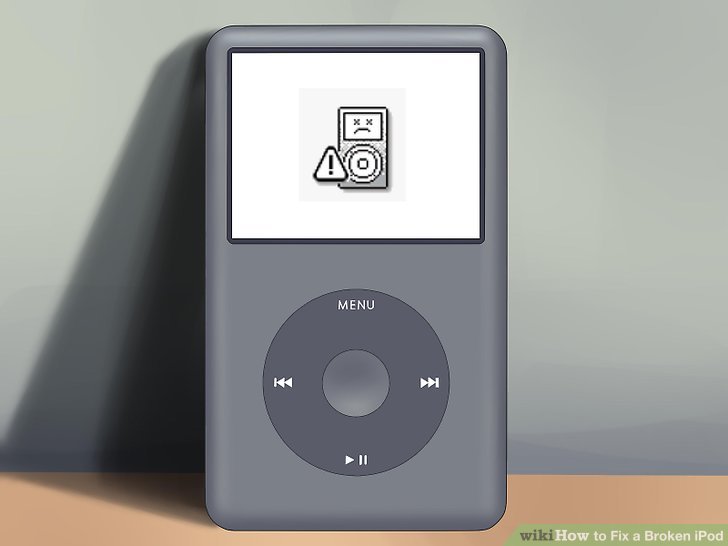
The other week I posted an article about my IPod music and videos suddenly disappearing. I had some time this evening to start digging into the problem and came up with some interesting results. The first thing I did was backup my entire iPod (originally formatted under Windows).
I was planning on restoring, and then importing all music and videos from the backup drive. However, after a little Googling I came across a lifesaving article on LifeHacker:
Hack Attack: Add music and movies to your iPod from any computer without iTunes
Adam Posh reviewed a cross-platform iTunes replacement called Floola. The reason why I was even investigating an iTunes replacement was to find a way to copy a number of .mp4 files directly to the iPod. I use Rhapsody quite a bit and have purchased a number of albums over the last 2 years. Although Rhapsody does support transfering the files to the iPod in MP4 format, these files are not playable in iTunes. In fact, since these songs are no longer recognized on the iPod, if I try to import them I get an authorization error. My thought was that Floola would allow me to perform the copy, but that was not the case.
Fortunately, I discovered an option in Floola that allows you to “repair” a corrupt iTunes database (under Tools -> Advanced -> Repair). Apparently this rebuilds the iTunesDB file under the hidden iPod_Control directory based on the existing music and video files that are on the iPod. Sure enough, after clicking and waiting for a few minutes, 4,000+ of my songs and videos were recovered. This didn’t include the tracks purchased through Rhapsody, but I’m sure I’ll be able to recover if I re-transfer using my PC laptop.
Thanks to LifeHacker and Floola, I saved a ton of time in trying to solve a tedious problem!
Edit (2018): For a current and very comprehensive guide on 1st to 5th generation iPods, check out WikiHow (image credited above). See: https://www.wikihow.com/Fix-a-Broken-iPod
4 Responses
Mmm, I was about to try this, but Floola isn’t compatible with the latest Itunes version.
Instead, I noticed that the Ipod has a backup of its database file on the Ipod itself. I deleted the original Itunesdb and renamed the one right below it, it has the exact same name except it has the word ‘old’ in the end, something like ‘itunes.mcz_old’
This totally solved my problem! All my songs reappeared and it worked as normally.
It’s on your Ipod, in the hidden Itunes directory.
well, I also faced iPod corruption. Tehre was no way i could solve, Finally I was able to do it. And i documented my experience here.
http://www.taranfx.com/blog/?p=1231
I have listed 5 ways to fix corrupted iPod, hope it helps all.
Hi Eric Blue’s Blog, I am messaging to say thank you. Hate hate, with a passion equal to our fiery sun, iTunes. Often times I’ll plug in my iPod and it’ll screw up the library so it reads that there is 80gigs of ‘other’ information instead of music. I also don’t sync my library so it takes forever to put my 12000 plus song back on, all of which are hand selected. It’s been happening more frequently recently too. Of course I’ve been making back-ups by changing my folder options to showing hidden files then dragging and dropping the music folder onto a back up drive, but still it takes a while. Your suggestion of Floola was the best advice ever. It just rebuilt my library and I was ready to go again in 30 minutes, awesome. I normally never leave feedback on blogs, or donate to freeware, but I’ll be doing both today thanks to you. Keep up the great work.
THANK YOU so much for posting this. totally saved my iPod! you rock man